Feedback platform

Visual feedback that students actually read

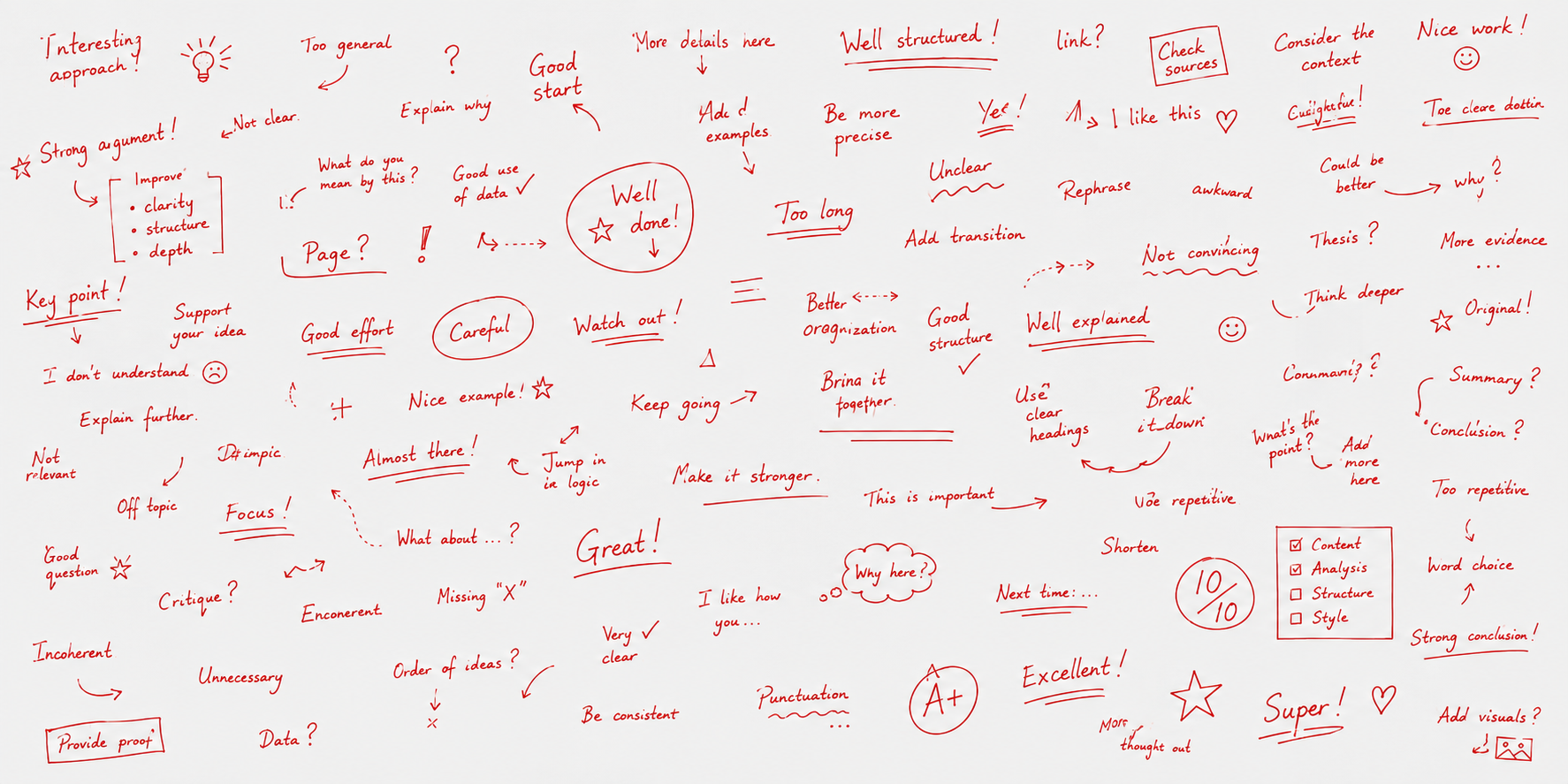
Photograph student work, annotate with pins and drawing, and send rich feedback in minutes. Students open a simple code on their phone — no login, no friction.

Annotate directly on the photo

Workflow

From the teacher to the student in four steps

Ekko keeps the loop short: capture work, annotate on the photo, publish once, and students receive feedback on the device they already carry.

  1. 01

    Capture the work

    Photograph a page, exercise, or project from your tablet. Batch capture flows through an entire assessment in one sitting.

  2. 02

    Annotate on the artifact

    Draw corrections, place pins with voice or video, and attach rubrics. Everything stays anchored to the student's actual production.

  3. 03

    Publish when ready

    Students receive a push notification. You choose whether self-grading is required before they see your annotations.

  4. 04

    Students open on their phone

    No account — just a personal code. Feedback loads offline and stays available for review before the next attempt.

Impact

Less grading time. Better feedback, sooner.

Ekko shortens the loop on both sides: teachers annotate on the photo instead of writing long comments in a gradebook, and students open their own assessment with your pins — precise, timely, and ready on their phone.

Traditional

  • Returned days or weeks later
  • Generic written comment or grade only
  • Feedback separate from the student's work

With Ekko

  • Published the same day — often within the hour
  • Voice pins and marks on the photographed page
  • Their assessment and your feedback in one view
Tap pins on the student's phone — feedback stays on their work
  • Hours back for teachers

    Photograph work once, drop voice pins instead of typing paragraphs, batch a full class, and let AI draft reports — feedback that used to take an evening fits between lessons.

  • Feedback while it still matters

    Students get a push when you publish — minutes or hours, not days or weeks. The correction lands while the exercise is still fresh, and richer pins make it easier to act on.

  • Their assessment, your comments

    Students don't get a lone grade or a separate comment thread — they open the actual page you photographed, with drawings and pins on their real work.

  • Pins show where, not just what

    Each pin sits on the exact spot on the page — voice, video, or text anchored to the mistake or success. No vague "see paragraph three"; they tap once and see it.

Student app

A phone app students actually install

Ekko is an installable PWA on the student's phone — no account, no password. They enter a personal code once, get push notifications when you publish, and read annotated work offline whenever they need it.

Access code

K7M-4R2N

Your feedback
  • Geography — Map skills

    2 pages · 4 pins

    New
  • History — Essay draft

    1 page · 2 pins

FeedClasses
Feed, courses, and progression — no login
  • One personal code

    Each student gets a short code. They open it in the browser or install Ekko on their home screen — no email signup or school SSO.

  • Offline-first PWA

    Published feedback is cached on the device. Students reopen annotated work, re-listen to voice pins, and review before the next attempt — even without Wi‑Fi.

  • Push when it's ready

    When you publish, students get a notification on their phone. New feedback appears in their feed with a clear "new" badge.

  • Feed, courses, progression

    Three tabs: latest feedback, course tasks, and a radar view of objectives. Tasks sent from the AI report appear in the Tasks tab with the same checklist layout.

Annotate

Draw and pin on student work

Capture a photo from your tablet, sketch corrections with the pen, and place markers exactly where they matter. Pins stay anchored when students zoom on any screen size.

Rich pins

Voice, video, links — not just text

Each pin carries the medium that fits: record a quick voice note, attach a reference image, paste a video link, or write a short comment. Students tap once to listen or watch.

  • Voice

    Record feedback on the spot. Students tap once to listen — with optional transcription to read what you said.

    Example: "Check the denominator here" on the fraction line.

  • Video

    Paste a YouTube or other video link. Students watch in place without leaving their feedback.

    Example: "How to simplify fractions" linked beside the exercise.

  • Text

    Short written notes anchored to the exact place on the page — no vague "see paragraph three".

    Example: "Find a common denominator first" next to the sum.

  • Link

    Share an article, glossary entry, or reference URL tied to a specific spot on the work.

    Example: britannica.com/topic/fraction anchored to the mistake.

  • Image

    Attach a photo, diagram, or model example right where the student needs visual guidance.

    Example: a worked solution photo placed on the blank answer.

Publish

Notify when feedback is ready

Hit publish and students get a push notification on their device. They open the app offline-first — cached feedback loads even without a connection.

New feedback

Geography — your teacher left comments on your work.

Just now

Offline-ready · cached on device

Organize

Classes, assessments, next actions

Courses, classes, and rubrics stay in the background. Your dashboard surfaces what needs attention: feedback to finish, assessments to capture, students waiting for a return.

Feedbacks to review

Geography · Year 7 A · 3 students

Continue

Courses

4

Classes

12

  • Geography
  • History

Course objectives

Map what students should learn — then measure it

Build a tree of objectives and tasks for each course. Import from a shared programme catalogue, reorder by drag-and-drop, and link rubrics so feedback and analysis stay tied to the skills you actually teach.

Geography · Year 7

Programme-linked catalogue

Objectives
  • Read and interpret maps

    Skill · 2 tasks · 1 rubric

    2
    • Locate features on a world map
    • Use scale and legend
    • Map skills rubric
  • Describe human landscapes

Drag to reorder · link rubrics per objective · track progress in analysis views

Rubrics

Create criteria once, reuse everywhere

Design rubrics as level columns × criterion rows with descriptors in every cell. Save templates, attach them to objectives, copy to assessments, and optionally require self-grading against the same grid before students unlock your feedback.

Map skills rubric

Reusable template · points or letter grading

2 objectives linked
CriteriaBeginningProficientAdvanced
Use of scaleScale not usedMostly correct scalePrecise, consistent scale
Legend & symbolsSymbols misreadKey symbols identifiedFull legend applied
Add criterion rowPoints · letter pass/fail

Student analysis

Radar charts across course objectives

Compare teacher grades and student self-grades on each objective in a radar view. Drill from programme to course to assessment, spot calibration gaps, and open the rubric beside the chart — the same analysis students see on their progression tab.

Léa M.

Geography · Year 7 · Course objectives

TeacherSelf
Radar chart comparing teacher and self grades across six objectivesMap readingScaleLegendEvidenceStructureAccuracy

Per course or whole programme · drill into sub-objectives · open rubric beside the chart

Self-grading

Students reflect before they read your feedback

Optionally ask students to self-grade against the rubric before your pins and annotations unlock. They engage with criteria first; you see where their judgment aligns with yours — or where a gap needs a conversation.

Feedback unlocked

After submitting a self-grade, your teacher's pins and annotations appear on the work.

Self-grade against the rubric

Select a level for each criterion before viewing teacher feedback.

CriterionEmergingProficientAdvanced
Use of evidence··
Structure··
Accuracy··
Student matches teacherGap to discuss
Self-grade your work first to unlock teacher feedback.

Metacognition

What happens when students grade themselves first

Self-grading is not a shortcut for teachers — it is a metacognitive pause. When students judge their own work against clear criteria before seeing your annotations, they activate monitoring systems the brain uses to detect gaps and update mental models.

Metacognition: noticing what you know

Selecting a rubric level forces students to ask "Did I actually meet this criterion?" — the same question expert learners ask spontaneously.

Flavell's metacognitive framework: monitoring accuracy is a learnable skill, and structured prompts accelerate its development.

Calibration: the gap is the lesson

When self-assessment and teacher assessment diverge, attention goes to the discrepancy — often the highest-value moment for dialogue.

Sadler (1989) and subsequent work on evaluative judgment: understanding quality requires comparing one's own work to a standard — repeatedly.

Generation before reception

Producing a judgment before receiving yours engages retrieval and inference — a desirable difficulty that deepens encoding of your later feedback.

The generation effect (Bjork): actively producing an answer — even an imperfect one — improves learning from subsequent corrective feedback.

Rubrics reduce ambiguous load

Explicit criteria split a vague "How did I do?" into scorable dimensions — lowering the working-memory cost of self-evaluation.

Structured rubrics channel attention toward features of quality instead of global, often inaccurate, impressions.

In Ekko, self-grading can gate access to your pins: students complete the rubric, submit, then unlock your visual feedback — so reflection precedes reception by design.

AI transcription

Voice pins become searchable text

Record feedback on the canvas, then transcribe with one tap. Whisper turns audio into text you can edit, store alongside the pin, and reuse in reports — students can read what you said without replaying every clip.

Audio pin · Page 2

0:24 · Geography assessment

Transcription

Good use of the scale here — next time label the capital cities directly on the map so the reader doesn't have to guess.

Powered by Whisper · stored on the pin · editable before publish

AI assessment report

Synthesize every comment into one report

For each assessment, Ekko gathers transcribed voice notes and text pins across all students. AI reads the full comment set and drafts a structured report — summary, strengths, gaps, and suggested next steps — so you see patterns without rereading every pin.

Comments on this assessment

  • Audio · transcribed

    Scale is mostly correct; legend symbols need clearer labels.

  • Text pin

    Strong spatial awareness on continental boundaries.

  • Audio · transcribed

    Check the orientation — north arrow is missing on page two.

Assessment report

Geography · Map skills · 24 students

AI draft

Summary

Most students handle scale well; recurring gaps are legend labeling and compass orientation across multi-page submissions.

Strengths

Continental placement and use of colour to distinguish regions appear consistently in comments.

Next steps

Plan a short mini-lesson on legend conventions; ask for a north arrow on every map before the next capture.

Next steps

A personal report for each student

AI reads each student's pins and drafts a report in their language — what went well, what to review, and concrete actions for their next attempt. Send any checklist item to their Tasks tab with one tap and track when they complete it.

AI report · per student

Léa M. · Based on 4 comments on her work

Send

Your tasks

2
  • Review legend conventions and label every symbol on your map

    Geography — Map skillsSent Jun 10, 2026 · 39d 20h pending

  • Add a north arrow on every page before your next submission

    Geography — Map skillsDone Jun 10, 2026 · 17h 45m

Learning science

Why feedback on the work itself works better

Decades of research in cognitive psychology and education converge on a few principles: feedback is most powerful when it is timely, specific, multimodal, and low-threat. Ekko is designed around those constraints — not generic comments in a gradebook cell.

Spatial cues reduce extraneous load

When feedback is pinned on the page where the error occurred, the brain links the correction to a visual location — not to a separate comment thread.

Cognitive load theory (Sweller): integrating feedback with the artifact avoids splitting attention between the work and a distant text box.

Multimodal pins engage dual channels

A short voice note plus a mark on the diagram activates both verbal and visual processing — especially helpful for younger learners and complex tasks.

Dual coding (Paivio): information encoded through two channels is more likely to be remembered and applied on the next attempt.

Timeliness strengthens the memory trace

Feedback delivered soon after production lands while the task context is still active in working memory — before misconceptions consolidate.

Meta-analyses on formative feedback (Hattie & Timperley; Rosenshine) consistently rank timing and task-level specificity among the strongest levers.

Private access lowers evaluative threat

Reading feedback alone on a phone — rather than in front of the class — reduces social comparison and the stress response that blocks deep processing.

Acute stress impairs prefrontal circuits involved in error correction; calmer delivery supports the mindset feedback is meant to create.

Specific beats generic

Pins answer "what exactly should I change here?" — not "good job" or "see me after class." Actionable cues drive revision behavior.

Feedback at the process and self-regulation levels (Hattie & Timperley) outperforms praise or grades alone for learning gains.

Re-viewing with cues supports retention

Students can reopen annotated work on their phone, re-listen to voice pins, and compare before/after — retrieval practice embedded in the feedback loop.

The testing effect: actively revisiting material with meaningful cues strengthens long-term retention more than passive re-reading.

Summaries draw on established learning-science literature. Effects vary by context, age group, and task — Ekko supports the conditions research identifies as favorable; it does not replace professional judgment.

FAQ

Common questions

Quick answers for teachers and schools considering Ekko.

Do students need an account?

No. Each student gets a personal access code — they open it in the browser or install Ekko as a PWA on their phone. No email, password, or school SSO for students.

What devices does Ekko work on?

Teachers annotate on a tablet or computer with a modern browser. Students read feedback on their phone — Ekko is built mobile-first and installable as a PWA on iOS and Android.

Can students read feedback offline?

Yes. Once feedback is published and downloaded, students can reopen annotated work, photos, and voice pins without a connection — useful for review at home or on the bus.

What is self-grading?

You can ask students to score themselves against the same rubric before your annotations unlock. They reflect on criteria first; you see where their judgment matches yours — or where a conversation is needed.

Can I reuse rubrics across classes?

Yes. Build rubrics as templates, attach them to course objectives, and copy them to assessments. Grades feed the same analysis students and teachers see in progression views.

How is student work stored?

Photos and pin media are stored privately — students reach them only through their code via secured links. Teachers sign in with a normal account; student access never uses a shared class login.

Start sending feedback today

Free for teachers. Set up your first class in minutes.

Create your account

Ekko · Feedback is the product.